

Opens in a new tab. Your article title and link are shared only with the AI assistant you choose.
AI writing tools have changed the way students, teachers, marketers, bloggers, and professionals create content. With tools capable of generating essays, reports, emails, summaries, and articles in seconds, questions about identifying AI-generated writing have become increasingly common.
One question many users ask is: does Google Docs have an AI detector?
The short answer is no, Google Docs does not currently provide a built-in AI content detector that gives you an AI-generated percentage or directly labels text as human-written or AI-generated.
Google Docs does include AI-powered writing features and tools that can help users create, rewrite, summarize, and improve content. It also provides version history and collaboration information that may help someone understand how a document was created. However, these features are different from a dedicated AI detector.
In this guide, we’ll explain whether Google Docs can detect AI writing, what Google Docs can actually track, how teachers may evaluate AI-generated assignments, and what you can do if you want to check text for possible AI-generated patterns.
Does Google Docs Have an AI Detector?
No. Google Docs itself does not function as a traditional AI content detector.
If you paste AI-generated content into a Google Doc, Google Docs does not normally display a warning such as:
- “This content was generated by AI.”
- “80% AI-generated.”
- “This paragraph was written by ChatGPT.”
- “AI content detected.”
Dedicated AI detection platforms are designed specifically to analyze text and estimate whether it contains patterns commonly associated with machine-generated writing. Google Docs is primarily a document creation and collaboration platform.
This distinction is important because Google Docs increasingly includes generative AI functionality. Having AI writing capabilities does not mean the application automatically provides AI detection.
Can Google Docs Detect AI-Generated Content?
Google Docs does not automatically classify ordinary document text as AI-generated or human-written.
For example, imagine you generate a paragraph with an AI assistant and paste it into Google Docs. The document editor can display and format that paragraph just like manually written text.
Google Docs generally does not tell the reader where that pasted text originally came from.
This means simply opening a document in Google Docs is not enough to determine reliably whether its content was created using AI.
However, there are other document signals that may provide useful context.
What Can Google Docs Track?
Although Google Docs is not a dedicated AI detector, its collaboration and editing features can reveal information about how a document developed.
1. Version History
Google Docs provides version history for eligible documents, allowing users with appropriate access to review changes made over time.
This can be useful when evaluating the writing process.
For example, a document that developed gradually through multiple rounds of writing and editing may have a different history from one where a large amount of text appeared during a short editing session.
However, version history should not be treated as proof that AI was or was not used.
Someone could write text somewhere else and paste it into Google Docs. A person could also use AI during an extended writing process.
Therefore, version history provides context rather than definitive AI detection.
2. Editing Activity
Depending on document permissions and available Workspace features, Google Docs can provide information about document changes and collaboration.
Teachers or team members may be able to see that substantial content was added or changed.
Again, this does not automatically identify the source of the writing.
A large pasted section could come from:
- Personal notes
- Another document
- Research material
- A writing application
- An AI writing tool
- Previously drafted original content
The editing pattern alone cannot establish authorship.
3. Comments and Suggestions
Google Docs supports comments, suggestions, and collaborative editing.
These features can help demonstrate how a document evolved, particularly when multiple people review or revise it.
For students, maintaining research notes, outlines, drafts, citations, and revisions may also make the writing process easier to explain if questions arise about authorship.
Does Google Docs Check for ChatGPT?
Google Docs does not automatically identify text specifically as coming from ChatGPT.
Once text is copied and pasted into a normal document, the visible words generally do not contain a simple label telling Google Docs which writing application generated them.
This is one reason AI detection is difficult.
AI-generated text can resemble human writing, while human writing can sometimes contain patterns that an AI detector considers machine-like.
Therefore, claims that a normal Google Doc can simply “see” that a paragraph came from ChatGPT should be treated carefully.
Does Google Docs Have an AI Checker for Teachers?
Google Docs itself should not be confused with the separate tools schools and universities may use.
An educational institution might use plagiarism software, learning management systems, originality tools, AI detection services, or its own academic-integrity procedures alongside Google Docs.
For example, a student might write an assignment in Google Docs and submit it through another platform. The submitted text could then be analyzed by tools outside Google Docs.
Therefore, the absence of a native AI detector inside Google Docs does not necessarily mean an assignment will never be checked for AI-generated writing.
Can Teachers Tell If You Use AI in Google Docs?
Teachers may use several types of evidence when they have questions about how an assignment was produced.
They might review:
- Google Docs version history
- Writing style changes
- Sources and citations
- Drafts and outlines
- Previous assignments
- Assignment-specific requirements
- External AI detection results
- A student’s ability to explain the submitted work
None of these factors individually guarantees that AI was used.
For instance, a sudden change in writing style could result from extensive editing, tutoring, additional research, or simply spending more time on an assignment.
Similarly, an AI detector score is an estimate rather than unquestionable proof of authorship.
A careful academic review should consider multiple pieces of evidence and the institution’s AI-use policy.
How Do AI Detectors Work?
To understand why Google Docs cannot simply identify every piece of AI-generated content, it helps to understand what AI detectors actually do.
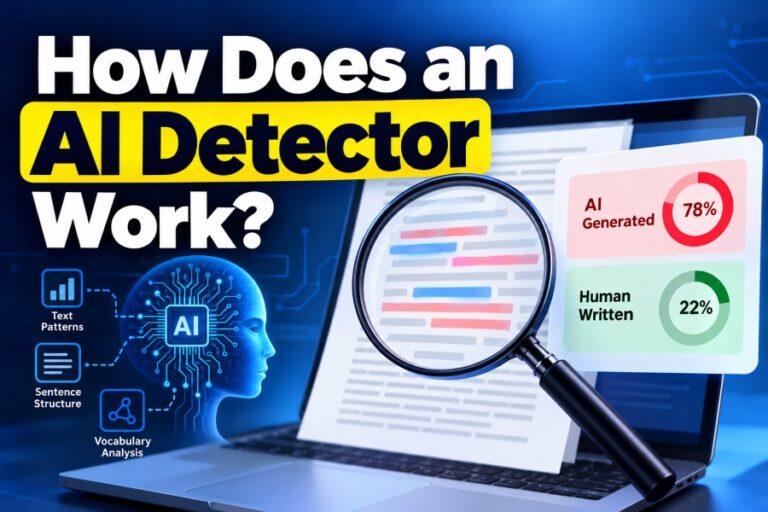
Most AI text detectors analyze linguistic and statistical patterns.
Depending on the system, these may include predictability, sentence structure, vocabulary patterns, repetition, variation in sentence length, and other characteristics.
The detector then produces an estimate or classification.
For example, a tool might report that text appears likely to contain AI-generated patterns.
That does not necessarily mean the detector knows which AI model produced the content.
AI Detection Is Different From Plagiarism Detection
These two technologies are often confused.
Plagiarism detection generally compares submitted writing against existing sources to identify matching or highly similar material.
AI detection attempts to determine whether writing patterns resemble text generated by an AI system.
Suppose an AI creates an entirely original paragraph that does not exist anywhere else online.
A plagiarism checker may find no matching source.
An AI detector, however, might still flag the paragraph based on its linguistic characteristics.
The reverse can also happen: human-written text may be flagged by an AI detector even though no generative AI was involved.
How Accurate Are AI Detectors?
No AI detector should be assumed to provide perfect results.
Both false positives and false negatives are possible.
False Positives
A false positive happens when human-written text is classified as AI-generated.
This may be especially concerning with writing that is highly structured, predictable, formal, repetitive, or intentionally simple.
False Negatives
A false negative happens when AI-generated content is classified as human-written.
AI-generated text can be revised, shortened, expanded, reorganized, or mixed with human writing. As language models improve, distinguishing machine-generated text from human writing can also become more difficult.
Because of these limitations, an AI detection score should generally be interpreted as one signal rather than definitive proof of authorship.
How to Check AI Content From Google Docs
If you want to evaluate text from a Google Doc for possible AI-generated patterns, you generally need a separate AI detection tool.
A typical process looks like this:
- Open the document in Google Docs.
- Select the text you want to evaluate.
- Copy the selected text.
- Open an AI content detection tool.
- Paste the text into its text field.
- Start the analysis.
- Review the result carefully.
Some tools may also support document uploads, browser extensions, APIs, or bulk scanning.
Remember that the resulting percentage should not automatically be interpreted as an exact measurement of how much of the document was written by AI.
Can Google Docs Version History Detect AI?
Version history can help you understand how a document changed, but it is not technically an AI detector.
Consider two scenarios.
In the first scenario, a writer creates an essay gradually. They write an introduction, revise several sentences, add another section, correct grammar, and finish the conclusion later.
The version history may reflect that progression.
In another scenario, several hundred words appear in a document during one editing session.
That could indicate pasted content, but it does not reveal where that content originated.
The text might have come from another personal document, an offline writing application, research notes, or an AI system.
Therefore, version history can provide useful context, but it cannot reliably answer the question, “Was this written by AI?”
Does Google Docs Know When You Copy and Paste?
Google Docs can reflect changes to a document, including the addition of substantial amounts of text, but this should not be confused with identifying the original source of every pasted passage.
A reviewer might observe that a large block appeared during the editing process.
That does not automatically prove the content came from ChatGPT, Gemini, Claude, or another AI assistant.
The source of pasted content could be entirely legitimate.
This is another reason document history should be evaluated alongside other evidence rather than treated as an AI detection system.
Google Docs AI Features vs. AI Detection
One source of confusion is that Google has added generative AI capabilities across its productivity ecosystem.
AI writing tools can help with tasks such as:
- Drafting content
- Rewriting passages
- Summarizing information
- Changing tone
- Brainstorming ideas
- Improving existing text
These are AI generation and assistance features, not necessarily AI detection features.
Think of the difference this way:
AI writing tools: Help create or transform content.
AI detectors: Analyze existing text and estimate whether it may have been generated by AI.
A platform can offer one without offering the other.
Why Doesn’t Google Docs Automatically Detect AI Writing?
Reliable AI detection is technically challenging.
Modern language models are designed to generate natural-sounding text. At the same time, human writing varies dramatically based on education, language proficiency, subject matter, editing style, and context.
A simple sentence such as:
“Photosynthesis allows plants to convert light energy into chemical energy.”
could easily be written by either a human or an AI model.
There may be no reliable way to determine authorship from that sentence alone.
The shorter the text, the less linguistic information a detector has to analyze.
Even with longer passages, detection usually remains probabilistic rather than certain.
Should Students Use AI in Google Docs?
Whether AI use is permitted depends on the rules established by the teacher, school, university, employer, or organization.
Some instructors allow AI for brainstorming or grammar assistance but prohibit AI-generated final answers.
Others may allow AI when its use is disclosed or cited.
Some assignments may prohibit generative AI completely.
Students should therefore check the specific instructions for each assignment rather than assuming one general rule applies everywhere.
When AI is allowed, it can be useful for brainstorming, generating questions, organizing ideas, explaining difficult concepts, or reviewing grammar.
The final submission should still comply with the applicable academic requirements.
What Should You Do If Your Human Writing Is Flagged as AI?
A detector flag does not necessarily establish that text was generated by AI.
If your original writing is questioned, evidence of your writing process may be useful.
This can include:
- Drafts
- Google Docs version history
- Research notes
- Sources
- Outlines
- Revision history
- Assignment planning
- Supporting files
You may also be able to explain your argument, sources, and writing process directly.
For teachers and institutions, reviewing this broader context can provide more meaningful information than relying exclusively on a detection percentage.
Can AI Detectors Identify Gemini or ChatGPT Content?
AI detectors generally analyze the text itself rather than reliably identifying a specific model.
A detector may estimate that a passage resembles machine-generated writing, but determining whether it came specifically from Gemini, ChatGPT, Claude, or another language model is much harder.
Results can also vary between detectors.
One detector may classify a passage as likely AI-generated while another considers the same passage likely human-written.
This disagreement illustrates why detection results should be interpreted cautiously.
Best Practices for Using Google Docs With AI Tools
If you use AI tools as part of your writing process, transparency and good documentation can reduce confusion.
Keep your original notes and drafts when appropriate. Review AI-generated suggestions instead of automatically accepting them. Verify factual claims and citations. Rewrite ideas in a way that accurately represents your own understanding.
Most importantly, follow the AI policy that applies to your school, workplace, publication, or project.
AI can support writing, but responsibility for the final document still belongs to the person submitting or publishing it.
Frequently Asked Questions
Does Google Docs have an AI detector?
No. Google Docs does not currently provide a standard built-in AI detector that assigns an AI-generated percentage to ordinary document text.
Can Google Docs detect ChatGPT?
Google Docs does not automatically label pasted text as ChatGPT-generated. Other tools or document evidence may be used separately to evaluate authorship.
Can teachers see if you used AI in Google Docs?
Teachers may review version history, drafts, writing patterns, sources, external detection tools, and other evidence. Google Docs itself does not simply provide a definitive “AI used” indicator for normal document content.
Does Google Docs show when text was pasted?
Document history may reveal substantial changes or additions, but that does not necessarily reveal the original source of the pasted material.
Can Google Docs version history prove AI use?
No. Version history can provide information about how a document changed, but it cannot reliably prove that AI generated particular text.
Is an AI detector 100% accurate?
No. AI detection tools can produce false positives and false negatives, so results should be interpreted carefully.
Is AI detection the same as plagiarism detection?
No. Plagiarism detection looks for similarities with existing sources, while AI detection analyzes patterns that may indicate machine-generated writing.
Do I need another tool to check AI content from Google Docs?
If you specifically want an AI-generated-content estimate, you will generally need a dedicated AI detection service or another platform that provides that capability.
Final Thoughts
So, does Google Docs have an AI detector?
For ordinary Google Docs users, the answer is no. Google Docs is primarily a writing, editing, and collaboration platform and does not provide a conventional built-in AI detector that tells you what percentage of a document was generated by AI.
Google Docs can provide useful information through version history, edits, comments, and collaboration records. Those signals may help someone understand how a document was created, but they should not be confused with direct AI detection.
If you need to evaluate whether text contains possible AI-generated patterns, you can use a dedicated AI detection tool. Even then, results should be treated as estimates rather than absolute proof.
As AI writing becomes increasingly integrated into everyday productivity tools, understanding the difference between AI assistance, document history, plagiarism checking, and AI detection is increasingly important. Using these tools appropriately—and understanding their limitations—can lead to fairer and more reliable decisions about digital writing.

Comments
0 responsesNo comments yet. Be the first to share your thoughts.